Sign-in problem
Check the user name and password by signing in to the web interface with the same account. After you change the password in OpenMediaVault, edit the server in the app and enter the new one.
 openmediavault monitor
Guide
Add your server to openmediavault monitor in a few steps. There is no API key: the app signs in with an OpenMediaVault administrator account, like the web interface does.
openmediavault monitor talks to the built-in OpenMediaVault API of your server. OpenMediaVault has no API keys, so the app uses an account and its password, and keeps the password in the secure storage of your phone.
Use the address you type in the browser to open the OpenMediaVault web interface, for example omv.local or 192.168.0.10. If the web interface does not use the default port, add it: 192.168.0.10:8080.
OpenMediaVault lets only administrators use its API, so an account without administrator rights can sign in but cannot read anything. Create a dedicated administrator account with a strong password in the web interface, under Users, instead of using your main one.
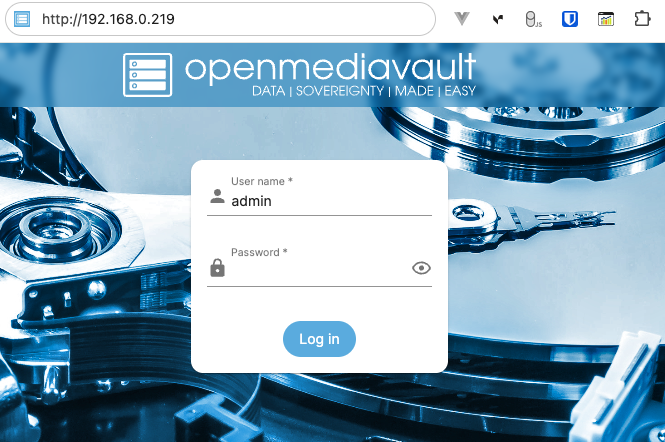
At home, connect your phone to the same network as the server. Away from home, reach the server through a VPN such as Tailscale and use its address; the Tailscale guide shows how.
In openmediavault monitor, tap Add server on the Dashboard, or the plus button on the Servers tab.
Enter a name of your choice, the address from the first step, and the user name and password of the administrator account. Without http:// or https:// in front, the app uses https://. If your server only offers plain HTTP, type http:// in front of the address.
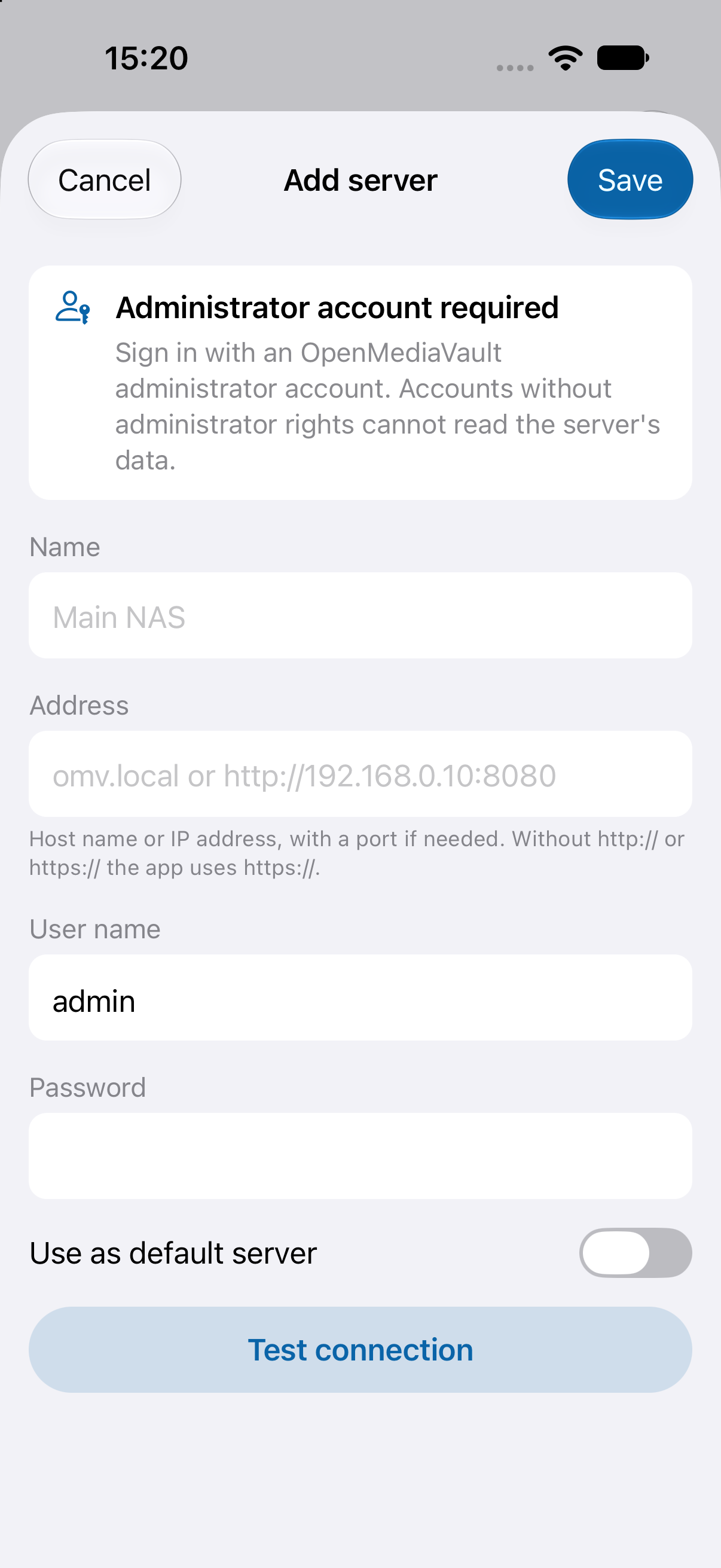
Tap Test connection. When it works, the app tells you the OpenMediaVault version and that the account is an administrator. Then tap Save: the server appears on the Dashboard. Turn on Use as default server if it should come first.
Check the user name and password by signing in to the web interface with the same account. After you change the password in OpenMediaVault, edit the server in the app and enter the new one.
The account can sign in but is not an administrator of the web interface. Use an administrator account, or give this one administrator rights in OpenMediaVault.
Check that the phone is on the same network, that the address and the port are right, and that the protocol matches: a server without a certificate needs http:// in front of the address.
Prefer HTTPS when your server has a certificate that matches the address. The app always validates certificates and never offers a trust-anyway option; a self-signed server works once its certificate authority is installed on your phone.
HTTP is not encrypted. Use it only on a network you trust, or reach the server over a VPN such as Tailscale.
The Tailscale guide shows how to reach your server from anywhere.
Reach your server with Tailscale